Repairs, rent and taxes, without the back-and-forth.
Havio connects your tenants, your vendors and you. Everyone sees the same status, and every step leaves a record, from the first photo to the line on your Schedule E.
One repair, start to finish
Five steps, three people, and nobody has to chase anybody.
- 01
Tenant reports it
Photos, what's wrong, and when they're home.
- 02
You pick a vendor
One of yours. They get everything in one link.
- 03
Vendor books a time
From the tenant's windows. Everyone sees it.
- 04
Vendor sends the invoice
Line items and after photos, from the same link.
- 05
You approve
Or it approves itself under your limit.
Repairs
Requests that arrive with everything you need
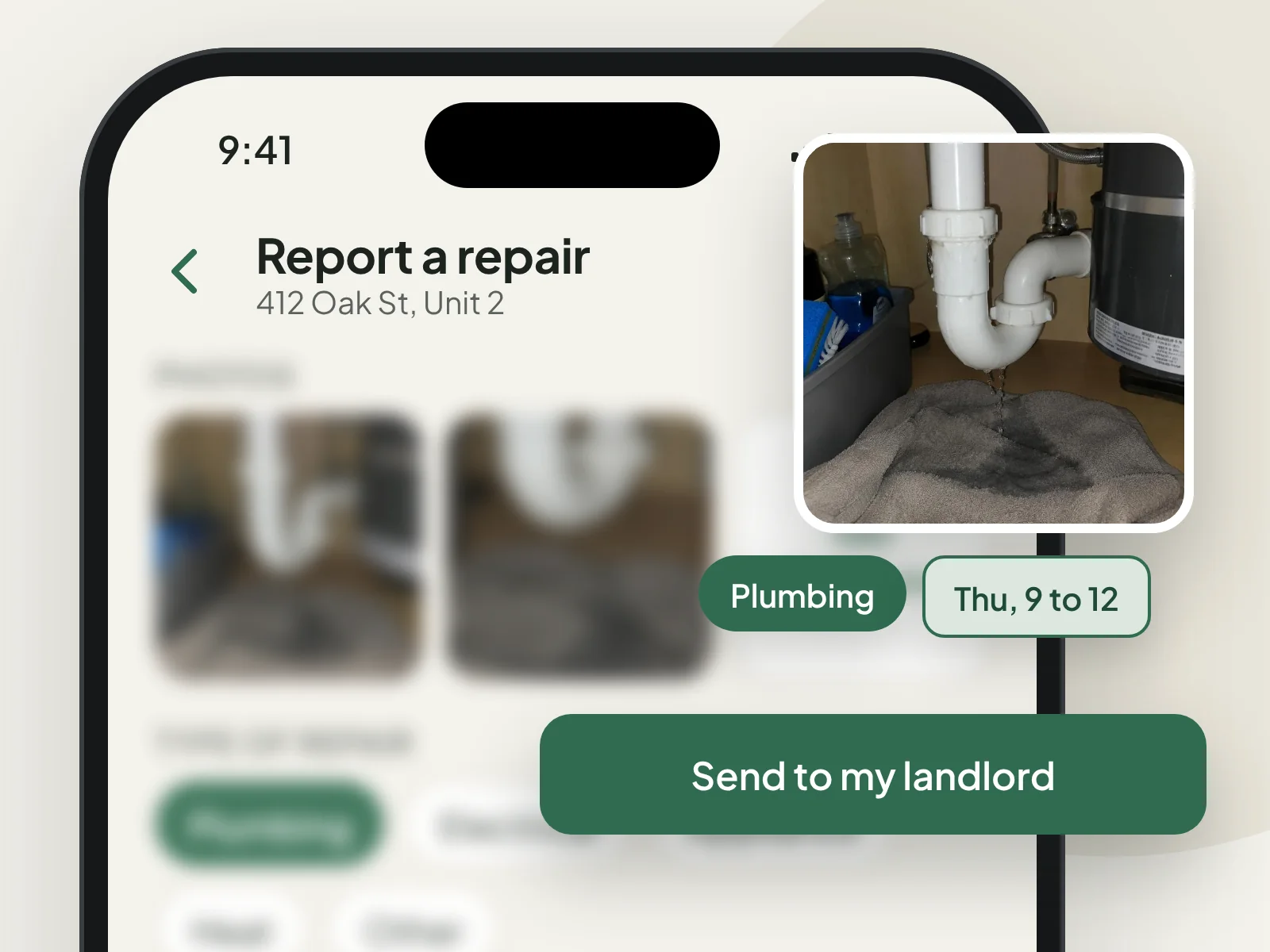
Tenants report a repair from their phone. You get the photos, the details and the times they're home, instead of a blurry text at 11 PM.
- Photos with every request, so you see the problem before you call anyone
- A few quick questions per repair type, with a safe tip when one helps (like shutting off the water)
- A separate emergency button for things that can't wait
- Tenants pick the time windows that work for them
- Everyone sees the same status, from reported to fixed
Vendors and invoices
Your vendors, without the phone tag
Keep the plumbers and handymen you already trust. Each job goes to them as one link with the photos, access notes and times. They don't download anything or make an account.
- Send a job in one tap, by text from your phone
- Vendors accept, pick a time from the tenant's windows, or pass, right from the link
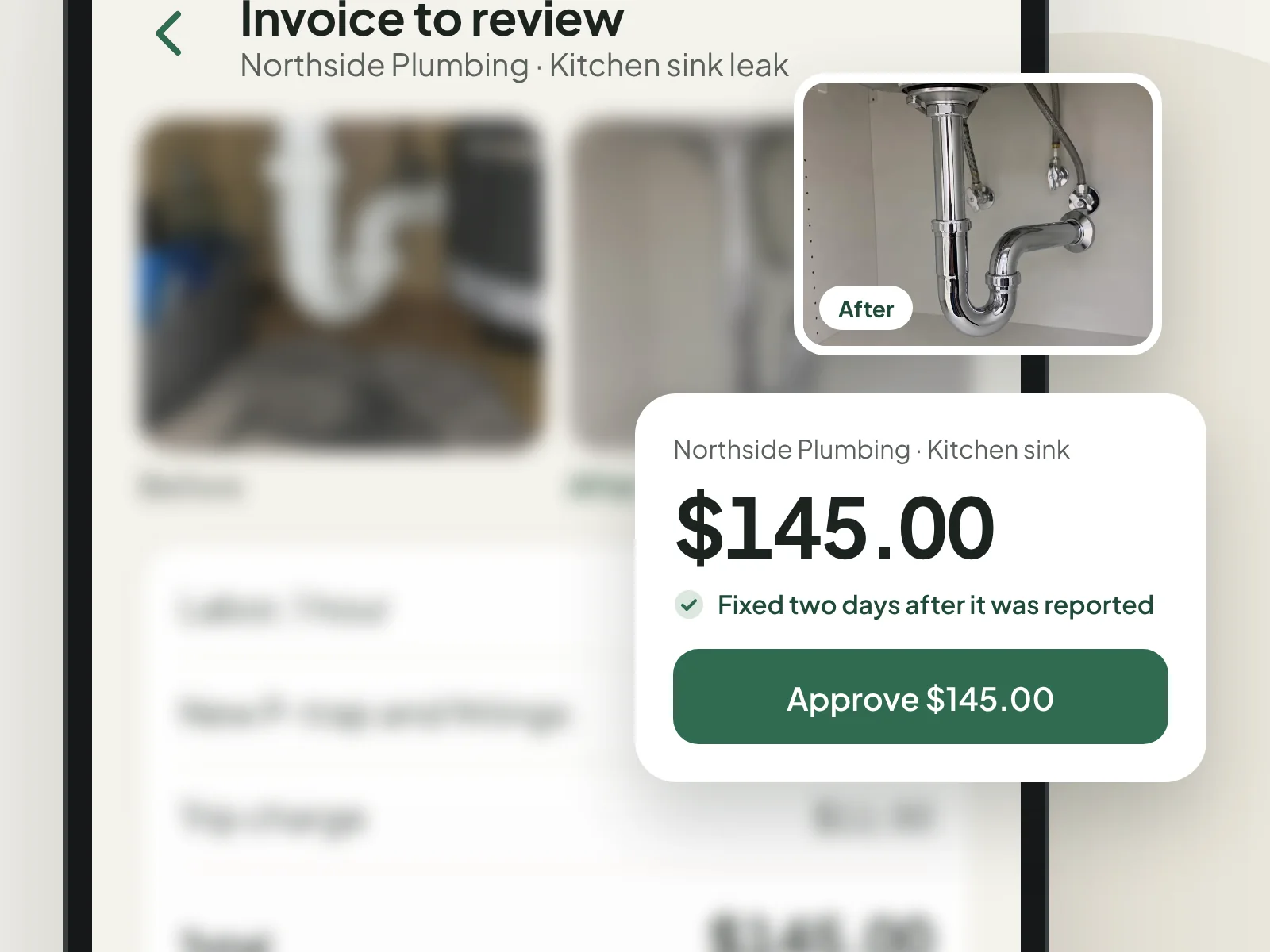
- When the work's done, they send line items and after photos from the same link
- Set a limit per vendor, and invoices at or under it approve themselves
- Send an invoice back with a reason, and the vendor fixes it from the same link
- Mark it paid and how you paid, so your records are done too
Tenants see when the work is booked and done. They never see invoices or what you paid.
Rent
Rent that pays itself
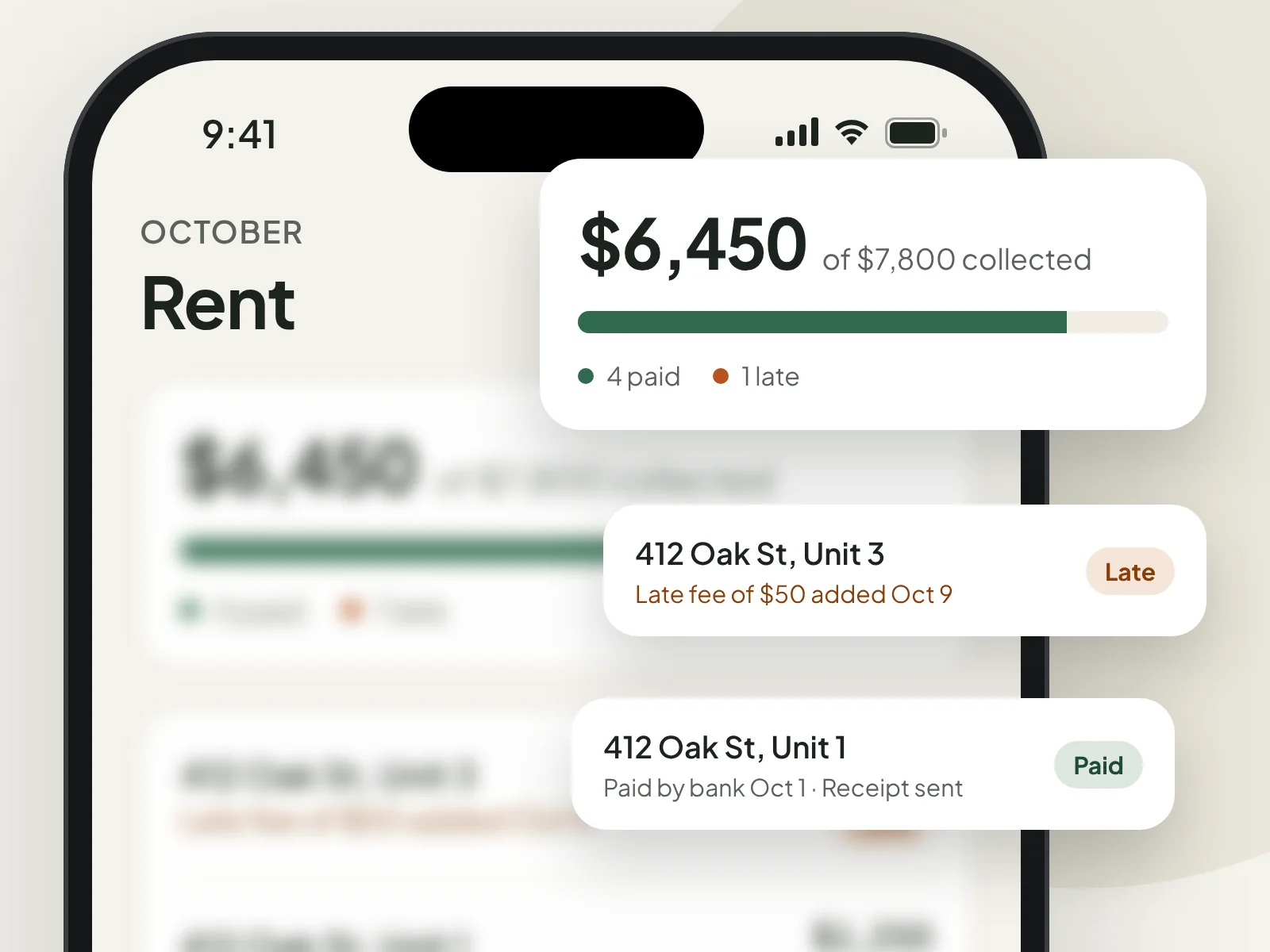
Tenants link their bank once and pay in a few taps, or turn on autopay and stop thinking about it. The money goes straight to your bank through Stripe.
- Bank payments, once or on autopay, with no fee for tenants
- Reminder emails a few days before rent is due
- Late fees on your terms: flat or a percent, with the grace days you choose
- Waive a fee, or add one by hand, whenever you need to
- Receipts for every payment, ready to print
- Paid by check or cash? Mark it paid and it counts the same
Only charge late fees your lease allows. Havio warns you above Minnesota's 8% cap.
2026 year-end summary
412 Oak St
Paid to vendors
Taxes and reports
Tax time takes an afternoon, not a weekend
Every rent payment and every repair you pay lands in your reports as it happens. At the end of the year, Havio hands you the numbers your Schedule E asks for.
- Rents received and repairs per property, matched to Schedule E lines 3 and 14
- A year-end summary you can print or save as a PDF for your tax preparer
- What you paid each vendor, flagged when they may need a 1099-NEC
- A spreadsheet export of every payment for the year
- Filter by year and property, and see unpaid rent, on-time rate and average days to fix
Havio organizes your records. It isn't tax advice, so check the final numbers with your tax preparer.
And the rest
The everyday stuff, handled
Messages
One thread per tenant, tied to their repairs, so nothing gets lost in your texts.
Documents
Leases, notices and inspections per unit. Share them with the tenant, or keep them private.
Email updates
A note when something needs you: a new request, a booked visit, an invoice, rent paid.
Made for phones
Tenants report and pay from their phone, and vendors work from a link. Nobody has to download anything.
Two-step sign-in
Turn on an authenticator app for your account, with recovery codes in case you lose your phone.
Before and after photos
Every repair keeps its photos, so you have a record if anything comes back.
See it with your own units.
Add a property, invite a tenant and your vendors, and you're set. It takes about five minutes.